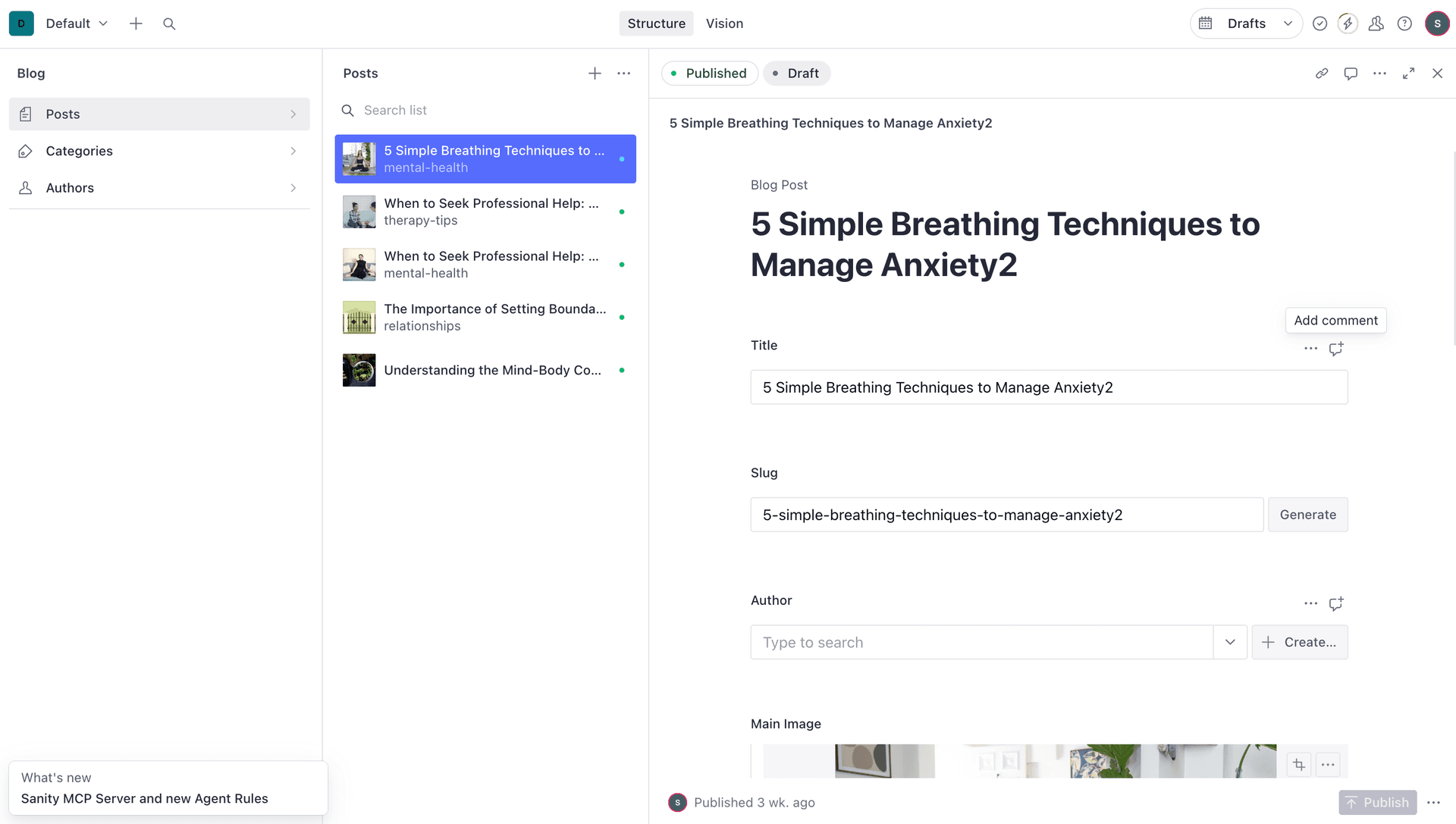
How to Integrate Sanity CMS with Your Website for Blogging
Building a modern blog requires more than just a platform to write content. You need flexibility, performance, and a great editing experience. Sanity CMS delivers all three while giving you complete control over your design.
What is Sanity CMS?
Sanity is a headless CMS that treats content as structured data. Unlike WordPress or traditional CMS platforms, Sanity separates content management from presentation, giving you the freedom to build your frontend exactly how you want.
Headless vs Traditional CMS
Traditional CMS (WordPress)
WordPress = Content Management + Frontend (Coupled)
└── Limited customization
└── Themes constrain design
└── Performance overhead
Headless CMS (Sanity)
Sanity = Content Management Only
Your Frontend = Complete Creative Freedom
└── Build with any framework
└── Optimize for performance
└── Reuse content anywhere
Why Choose Sanity for Blogging?
Real-Time Collaboration
Multiple team members can edit content simultaneously without conflicts. Changes sync instantly across all editors.
Structured Content
Define exactly what fields your blog posts need:
// Example blog post schema
{
  title: "string",
  slug: "slug",
  category: "reference",
  mainImage: "image",
  body: "rich text",
  publishedAt: "datetime"
}
Developer-Friendly
Everything is configured in code, version-controlled, and easily deployed. No clicking through admin panels to set up your content model.
Generous Free Tier
- Unlimited API requests
- 3 users
- 10GB bandwidth
- 5GB asset storage
- Perfect for personal blogs and small teams
Setting Up Sanity with Next.js
Step 1: Install Dependencies
npm install next-sanity @sanity/client @sanity/image-url @portabletext/react
Step 2: Initialize Sanity
npm create sanity@latest -- --dataset production --template clean --typescript
This creates a Sanity Studio that you can embed in your Next.js app at /studio.
Step 3: Configure Environment Variables
Create .env.local:
NEXT_PUBLIC_SANITY_PROJECT_ID=your-project-id
NEXT_PUBLIC_SANITY_DATASET=production
NEXT_PUBLIC_SANITY_API_VERSION=2024-01-01
Step 4: Create Sanity Client
// src/sanity/lib/client.ts
import { createClient } from 'next-sanity'

export const client = createClient({
  projectId: process.env.NEXT_PUBLIC_SANITY_PROJECT_ID!,
  dataset: process.env.NEXT_PUBLIC_SANITY_DATASET!,
  apiVersion: process.env.NEXT_PUBLIC_SANITY_API_VERSION!,
  useCdn: false, // Real-time updates
})
Defining Your Blog Schema
Create a schema for blog posts in Sanity:
// src/sanity/schemas/post.ts
import { defineType, defineField } from 'sanity'

export const postType = defineType({
  name: 'post',
  title: 'Blog Post',
  type: 'document',
  fields: [
    defineField({
      name: 'title',
      title: 'Title',
      type: 'string',
      validation: (Rule) => Rule.required(),
    }),
    defineField({
      name: 'slug',
      title: 'Slug',
      type: 'slug',
      options: {
        source: 'title',
        maxLength: 96,
      },
      validation: (Rule) => Rule.required(),
    }),
    defineField({
      name: 'category',
      title: 'Category',
      type: 'string',
      options: {
        list: [
          { title: 'Tutorial', value: 'tutorial' },
          { title: 'News', value: 'news' },
          { title: 'Review', value: 'review' },
        ],
      },
    }),
    defineField({
      name: 'mainImage',
      title: 'Main Image',
      type: 'image',
      options: {
        hotspot: true, // Enable focal point selection
      },
    }),
    defineField({
      name: 'publishedAt',
      title: 'Published At',
      type: 'datetime',
    }),
    defineField({
      name: 'body',
      title: 'Body',
      type: 'array',
      of: [{ type: 'block' }], // Rich text editor
    }),
  ],
})
Fetching Blog Posts
Create GROQ Queries
GROQ is Sanity's query language - like GraphQL but more powerful:
// src/sanity/lib/queries.ts
import { defineQuery } from 'next-sanity'

// Get all posts
export const POSTS_QUERY = defineQuery(`
  *[_type == "post"] | order(publishedAt desc) {
    _id,
    title,
    slug,
    mainImage,
    publishedAt,
    category,
    "excerpt": pt::text(body)[0...150]
  }
`)

// Get single post by slug
export const POST_QUERY = defineQuery(`
  *[_type == "post" && slug.current == $slug][0] {
    _id,
    title,
    slug,
    mainImage,
    publishedAt,
    category,
    body
  }
`)
Build Blog Listing Page
// src/app/blog/page.tsx
import { client } from '@/sanity/lib/client'
import { POSTS_QUERY } from '@/sanity/lib/queries'
import Link from 'next/link'

export default async function BlogPage() {
  const posts = await client.fetch(POSTS_QUERY)

  return (
    <div className="max-w-7xl mx-auto px-4 py-12">
      <h1 className="text-4xl font-bold mb-8">Blog</h1>

      <div className="grid md:grid-cols-2 lg:grid-cols-3 gap-6">
        {posts.map((post) => (
          <Link
            href={`/blog/${post.slug.current}`}
            key={post._id}
            className="border rounded-lg overflow-hidden hover:shadow-lg transition"
          >
            {post.mainImage && (
              <img
                src={urlFor(post.mainImage).width(400).height(250).url()}
                alt={post.title}
                className="w-full h-48 object-cover"
              />
            )}
            <div className="p-4">
              <h2 className="text-xl font-semibold mb-2">{post.title}</h2>
              <p className="text-gray-600 text-sm">{post.excerpt}</p>
              <span className="text-xs text-gray-500 mt-2 block">
                {new Date(post.publishedAt).toLocaleDateString()}
              </span>
            </div>
          </Link>
        ))}
      </div>
    </div>
  )
}
Build Individual Post Page
// src/app/blog/[slug]/page.tsx
import { client } from '@/sanity/lib/client'
import { POST_QUERY } from '@/sanity/lib/queries'
import { PortableText } from '@portabletext/react'

export default async function PostPage({ params }) {
  const post = await client.fetch(POST_QUERY, { slug: params.slug })

  return (
    <article className="max-w-3xl mx-auto px-4 py-12">
      <h1 className="text-4xl font-bold mb-4">{post.title}</h1>

      {post.publishedAt && (
        <time className="text-gray-500">
          {new Date(post.publishedAt).toLocaleDateString()}
        </time>
      )}

      {post.mainImage && (
        <img
          src={urlFor(post.mainImage).width(900).height(500).url()}
          alt={post.title}
          className="w-full rounded-lg my-8"
        />
      )}

      <div className="prose prose-lg max-w-none">
        <PortableText value={post.body} />
      </div>
    </article>
  )
}
Handling Images
Sanity provides automatic image optimization:
// src/sanity/lib/image.ts
import createImageUrlBuilder from '@sanity/image-url'
import { client } from './client'

const imageBuilder = createImageUrlBuilder(client)

export const urlFor = (source) => {
  return imageBuilder.image(source)
}

// Usage
urlFor(post.mainImage)
  .width(800)
  .height(450)
  .format('webp')
  .url()
Real-Time Updates Without Redeployment
Set Up Webhooks
Create an API route to handle Sanity webhooks:
// src/app/api/revalidate/route.ts
import { revalidateTag } from 'next/cache'
import { NextRequest, NextResponse } from 'next/server'
import { parseBody } from 'next-sanity/webhook'

export async function POST(req: NextRequest) {
  try {
    const { body, isValidSignature } = await parseBody(
      req,
      process.env.SANITY_REVALIDATE_SECRET
    )

    if (!isValidSignature) {
      return new Response('Invalid signature', { status: 401 })
    }

    // Revalidate all posts
    revalidateTag('post')

    return NextResponse.json({ revalidated: true })
  } catch (error) {
    return new Response('Error revalidating', { status: 500 })
  }
}
Configure Webhook in Sanity
- Go to your Sanity project settings
- Navigate to API → Webhooks
- Add new webhook:
https://yoursite.com/api/revalidate - Set trigger: Create, Update, Delete
- Add filter:
_type == "post" - Add secret for security
Now when you publish a blog post, your site updates automatically!
Advanced Features
Custom Categories with Colors
defineField({
  name: 'category',
  title: 'Category',
  type: 'string',
  options: {
    list: [
      { title: 'Tutorial', value: 'tutorial' },
      { title: 'News', value: 'news' },
      { title: 'Case Study', value: 'case-study' },
    ],
  },
})
Multiple Template Styles
defineField({
  name: 'template',
  title: 'Template Style',
  type: 'string',
  options: {
    list: [
      { title: 'Default', value: 'default' },
      { title: 'Featured (Hero Image)', value: 'featured' },
      { title: 'Minimal (Text-Focused)', value: 'minimal' },
    ],
  },
})
Then render different layouts based on template choice.
SEO Fields
defineField({
  name: 'seo',
  title: 'SEO',
  type: 'object',
  fields: [
    { name: 'metaTitle', type: 'string' },
    { name: 'metaDescription', type: 'text' },
    { name: 'ogImage', type: 'image' },
  ],
})
Performance Optimization
Enable CDN for Published Content
export const client = createClient({
  projectId,
  dataset,
  apiVersion,
  useCdn: true, // Enable for production
  perspective: 'published',
})
Implement ISR (Incremental Static Regeneration)
export const revalidate = 60 // Revalidate every 60 seconds

export default async function BlogPage() {
  const posts = await client.fetch(POSTS_QUERY)
  // ...
}
Deploying to Production
Add Environment Variables to Vercel
NEXT_PUBLIC_SANITY_PROJECT_ID=xxxxx
NEXT_PUBLIC_SANITY_DATASET=production
NEXT_PUBLIC_SANITY_API_VERSION=2024-01-01
SANITY_REVALIDATE_SECRET=your-secret-here
Enable CORS in Sanity
- Go to Sanity project settings
- API → CORS Origins
- Add your production domain
- Enable "Allow credentials"
Common Patterns
Blog Pagination
const POSTS_PER_PAGE = 10

export const PAGINATED_POSTS_QUERY = defineQuery(`
  *[_type == "post"]
  | order(publishedAt desc)
  [$start...$end] {
    _id,
    title,
    slug,
    mainImage,
    publishedAt
  }
`)

// Usage
const posts = await client.fetch(PAGINATED_POSTS_QUERY, {
  start: page * POSTS_PER_PAGE,
  end: (page + 1) * POSTS_PER_PAGE
})
Related Posts
export const RELATED_POSTS_QUERY = defineQuery(`
  *[_type == "post"
    && category == $category
    && _id != $currentId
  ][0...3] {
    _id,
    title,
    slug,
    mainImage
  }
`)
Search Functionality
export const SEARCH_QUERY = defineQuery(`
  *[_type == "post"
    && (
      title match $searchTerm + "*"
      || pt::text(body) match $searchTerm + "*"
    )
  ] {
    _id,
    title,
    slug,
    "excerpt": pt::text(body)[0...150]
  }
`)
Troubleshooting Common Issues
Content Not Updating
- Check
useCdn: falsefor real-time updates - Verify webhooks are configured correctly
- Clear browser cache
Images Not Loading
- Verify CORS settings in Sanity
- Check image URLs are properly generated
- Ensure hotspot data exists
Slow Build Times
- Enable CDN (
useCdn: true) - Implement ISR instead of SSG for large blogs
- Use selective revalidation with tags
Conclusion
Sanity CMS transforms blogging by combining powerful content management with complete frontend freedom. The initial setup takes some time, but you gain:
- Complete design control - Build exactly what you imagine
- Superior performance - Optimized for speed out of the box
- Scalable architecture - From personal blog to enterprise
- Great DX - TypeScript support, hot reloading, real-time collaboration
Whether you're a solo blogger or managing content for a large organization, Sanity scales with your needs without sacrificing the editing experience.
Resources
- Sanity Documentation
- Next.js + Sanity Guide
- GROQ Query Cheatsheet
- Sanity Studio Customization
- Example Projects
Ready to build your blog with Sanity? Start with the free tier and experience the difference a modern CMS makes!